Object Detection Examples
Overview
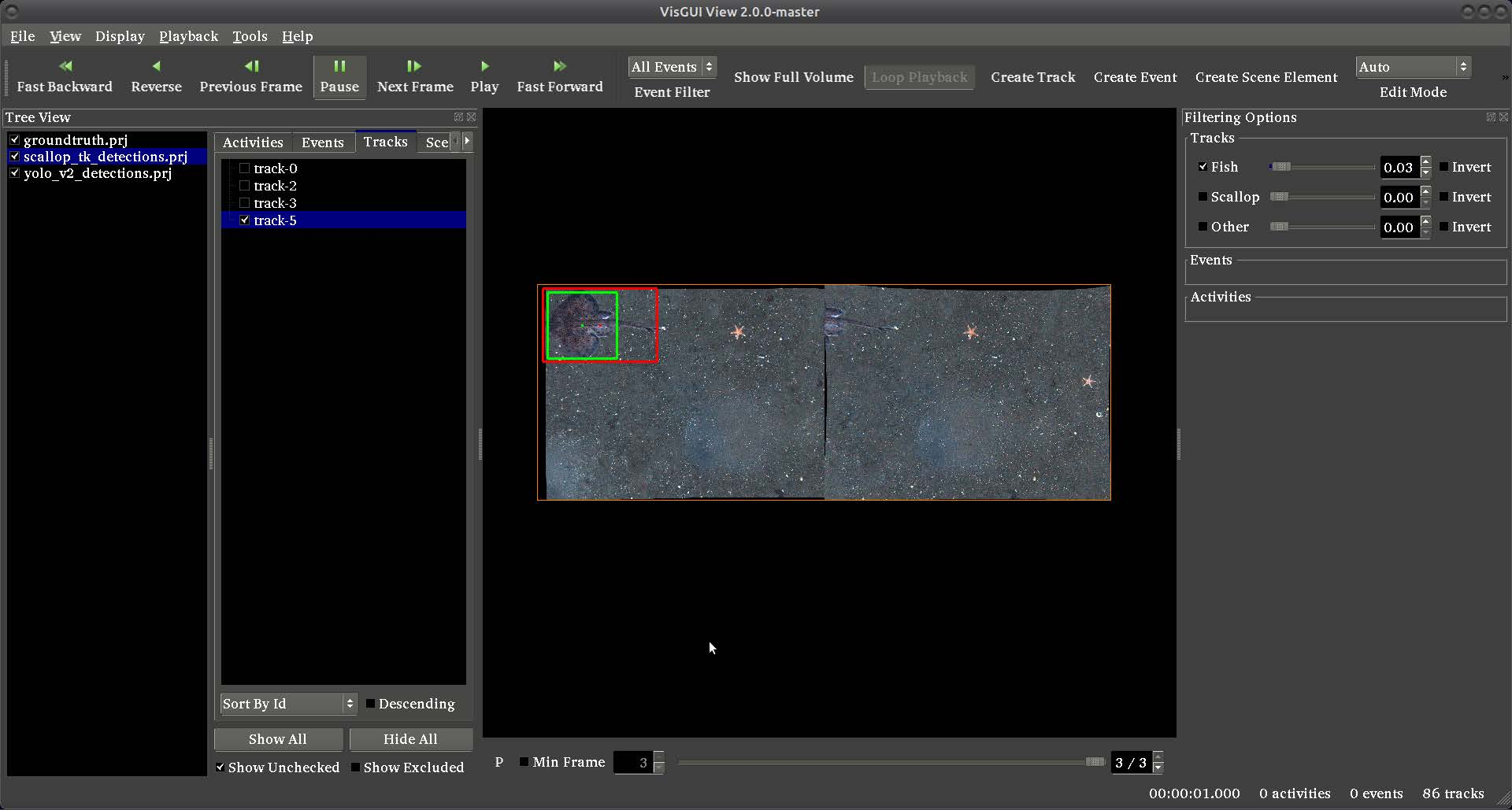
This document corresponds to the object detection example folder within a VIAME desktop installation. Object detection identifies and localizes objects of interest within images or video frames, producing bounding box detections with associated class labels and confidence scores.
VIAME includes a variety of detection algorithms spanning classical computer vision, traditional machine learning, and modern deep learning approaches. Most detectors are trainable from user-provided annotations – see the object detector training examples for details on training custom models.
Detection pipelines can be run from the command line using the viame tool, or from
one of the user interfaces within VIAME (e.g. DIVE, VIEW, SEAL). In the DIVE
interface, pipelines are organized into menu groups based on the first word of the
pipeline file name. Detection pipelines appear under the Detector menu (e.g.
Detector -> Generic Proposals for detector_generic_proposals.pipe). In the VIEW
interface, all pipelines are available in the pipelines dropdown.
VIAME detectors fall into three broad categories:
Deep learning detectors – learned models trained on annotated data (GPU recommended)
Classical ML detectors – SVM classifiers applied over proposal regions or features
Motion / heuristic detectors – detect objects via motion, shape, or other cues (no training)
Deep Learning Detectors
Deep learning detectors are the most common choice for production use. They learn to recognize objects from annotated training data and typically require a GPU for both training and inference. VIAME supports several deep learning detection frameworks. For details on training these detectors, see the object detector training examples.
Netharn Cascade Faster R-CNN (CFRNN)
The Netharn CFRNN detector is the current default deep learning detector in VIAME. It uses a Cascade Faster R-CNN architecture with a ResNeXt-101 backbone, providing strong accuracy across a wide range of object types and sizes. It is the most commonly used detector in production VIAME deployments including fish detection, scallop detection, and marine mammal surveys.
Key properties:
Two-stage detector with cascade refinement for improved localization
ResNeXt-101 backbone pretrained on ImageNet
Input resolution: 640x640 (configurable)
Automatic windowed/tiled inference for high-resolution imagery
Supports continuing training from a previously trained checkpoint
Handles mixed aspect ratios and high class imbalance well
Best with 500+ annotations per class
GPU required (PyTorch)
A grid/tiling variant is also available (Netharn CFRNN Grid) that is optimized for small objects in dense scenes (20+ objects per frame). The tiled approach processes overlapping image chips to better detect small targets.
RF-DETR (Real-Time Foundation DETR)
RF-DETR is a transformer-based detector that uses a DETR (DEtection TRansformer) architecture with a DINOv2 backbone. Its transformer attention mechanism makes it particularly effective in dense scenes with frequent occlusion, where objects overlap and partially obscure one another.
Key properties:
Transformer-based end-to-end detector (no anchors or NMS needed during training)
Three model sizes: nano (384px), base (560px), large (728px)
EMA (Exponential Moving Average) for training stability
Excels in dense scenes with overlapping objects and multi-scale variation
Good choice for medium-to-large objects with sufficient training data (400+)
GPU required (PyTorch)
MIT-YOLO (v9)
MIT-YOLO is a modern YOLO variant based on the YOLOv9-c architecture. It is a single-stage detector optimized for speed and accuracy, making it a good choice when fast inference is important or training data is moderate.
Key properties:
Single-stage detector with fast inference
YOLOv9-c architecture at 640x640 resolution
Handles multi-scale variation well
Well suited for real-time or near-real-time detection
Moderate data requirements (200+ annotations per class recommended)
GPU required (PyTorch)
Darknet YOLO
Darknet YOLO is a mature YOLO implementation supporting YOLOv4 and YOLOv7 variants at various resolutions. It is widely used and well-tested in production VIAME deployments, including arctic seal detection from aerial imagery.
Key properties:
Multiple architecture variants: YOLOv4-CSP (small/medium), YOLOv7 (small)
Configurable input resolution (512–832px)
Supports windowed/tiled inference for high-resolution imagery
Requires the Darknet YOLO add-on
GPU required
MMDetection Cascade R-CNN
MMDetection provides access to the OpenMMLab detection framework, primarily used for Cascade R-CNN with various backbones. It supports distributed training and advanced features like EQLv2 loss for handling imbalanced class distributions.
Key properties:
Cascade R-CNN architecture via OpenMMLab framework
Supports multiple backbones including ConvNeXt
Input resolution: up to 1333px
Distributed training support (multi-GPU, Slurm, MPI)
GPU required (PyTorch)
Detectron2 Faster R-CNN
The Detectron2 Faster R-CNN detector uses Facebook’s Detectron2 framework with a ResNet-50 + FPN backbone.
Key properties:
Two-stage Faster R-CNN with Feature Pyramid Network
ResNet-50 backbone pretrained on COCO
Input resolution: 800px (configurable)
GPU required (PyTorch)
LitDet (Faster R-CNN, SSD, and Others)
LitDet provides PyTorch Lightning-based implementations of several detection architectures with a focus on ease of use and reproducibility. The Faster R-CNN variant works well for large objects and tall aspect ratios in sparse scenes.
Key properties:
Faster R-CNN: ResNet-50 + FPN backbone at 640px – best for large or tall objects
SSD: VGG-16 backbone at 300px – lightweight and fast
Additional architectures: SSDLite, RetinaNet, FCOS
Fine-tuning from COCO pretrained weights
TensorBoard logging enabled by default
GPU required (PyTorch)
Netharn Mask R-CNN
Mask R-CNN extends Faster R-CNN with an additional branch for predicting segmentation masks alongside bounding boxes. Use this when both detection boxes and pixel-level masks are needed. Used in marine mammal surveys for precise animal outlines.
Key properties:
Produces both bounding boxes and instance segmentation masks
ResNet-50 backbone at 720px or 1280px
Useful for training data that includes polygon annotations
GPU required (PyTorch)
Zero-Shot / Foundation Models
These detectors use large pretrained vision models and can detect objects without any task-specific training data.
HuggingFace Zero-Shot Detector
The HuggingFace zero-shot detector uses a pretrained Grounding DINO model to detect objects from text descriptions without any task-specific training data.
Key properties:
No training required – detects objects by text query
Based on Grounding DINO (IDEA-Research/grounding-dino-tiny)
Multi-scale detection with NMS post-processing
Useful for quick exploration or bootstrapping annotations before training
GPU recommended
MaskCut (Unsupervised Object Discovery)
MaskCut uses DINO ViT (Vision Transformer) features to discover and segment objects in images without any training or text prompts. It generates object masks through an unsupervised spectral clustering approach.
Key properties:
No training or prompts required – fully unsupervised
Uses DINOv2 backbone features (small or base)
CRF post-processing for refined mask boundaries
Useful for exploring what objects exist in unlabeled data
GPU recommended
Novelty-Aware Detectors
These detectors extend standard detection with the ability to flag novel or out-of-distribution objects that were not seen during training.
ReMax DINO Detector
Combines a DINO (DEtection with Implicit Orientation) detector with ReMax novelty scoring. Detects known object classes while also assigning a novelty probability to each detection, flagging objects that may be from unseen categories.
Key properties:
Open-set detection: identifies both known and unknown object classes
DINO backbone with Swin Transformer
Useful for survey work where unexpected species may appear
Requires the learn add-on
GPU required (PyTorch)
ReMax ConvNeXt Detector
Similar to ReMax DINO but uses a ConvNeXt backbone via MMDetection. Also provides novelty scoring alongside standard detection.
Key properties:
Open-set detection with ConvNeXt modern CNN backbone
MMDetection Cascade R-CNN architecture
Requires the learn add-on
GPU required (PyTorch)
Classical ML Detectors
SVM Classifier
The SVM (Support Vector Machine) classifier operates over detection proposals or features extracted by another detector. It classifies proposal regions into object categories using learned SVM models.
Key properties:
Classical machine learning approach – fast training and inference
Can operate over fish-specific or generic object proposals
Low data requirements (50+ annotations per class can be sufficient)
No GPU required – runs entirely on CPU
Good as a quick baseline or for rapid prototyping
Requires
.svmmodel files in acategory_modelsdirectory
Motion / Heuristic Detectors
GMM Motion Detector
The GMM (Gaussian Mixture Model) motion detector identifies moving objects by building a statistical background model and detecting foreground regions that deviate from it.
Key properties:
No training required – unsupervised background subtraction
Best for stationary camera scenarios with moving objects
No GPU required
Not suitable for static objects or moving cameras
Canny Edge Detector
Detects circular and elliptical objects using Canny edge detection followed by contour linking and circle fitting. Configurable edge thresholds and contour size filters.
Key properties:
Detects circular/elliptical shapes via edge contours
Configurable edge thresholds and size filtering
No training required, no GPU required
Difference of Gaussians (DoG) Detector
Scale-space blob detector using a Gaussian pyramid with Difference of Gaussians. Detects dark and bright blobs within specified size ranges using sub-pixel extrema detection.
Key properties:
Detects blob-like objects across multiple scales
Configurable for dark blobs, bright blobs, or both
No training required, no GPU required
Simple Hough Detector
The Hough circle detector uses the OpenCV Hough Circle Transform to detect circular objects in images. Primarily useful as a simple demonstration or for specialized applications with circular targets.
Choosing a Detection Method
Running the Command Line Examples
Each example script sources the VIAME setup script to configure paths, then runs a
detection pipeline via the viame tool. Pipelines read images from an input list
file and write detections to computed_detections.csv in VIAME CSV format.
Example CLI scripts in this folder include:
run_generic_proposals– run the generic object proposal detectorrun_fish_without_motion– run the default fish detector (requires add-on)run_gmm_motion– run the GMM motion detector on videorun_huggingface_zeroshot– run the zero-shot detector (no training needed)
To run an example on Linux:
./run_generic_proposals.sh
Or on Windows:
run_generic_proposals.bat
Detections are written to computed_detections.csv in the current directory. The
input images are specified in a text file (one image path per line), which can be
modified to point to your own imagery.
Detection parameters can be overridden from the command line using the -s flag:
viame configs/pipelines/detector_generic_proposals.pipe \
      -s input:video_filename=my_images.txt
Running Examples in the GUI
In the DIVE interface, detection pipelines are available under the Detector
menu. The menu is organized by the first word of the pipeline file name. For example,
detector_generic_proposals.pipe appears as Detector -> Generic Proposals. To run
a detector, load imagery into DIVE, then select the desired pipeline from the Detector
menu.
Domain-specific detectors from installed add-ons (e.g. fish detectors, seal detectors) also appear in the Detector menu once the corresponding add-on is installed.
In the VIEW interface, all detection pipelines are available in the pipelines dropdown.
Domain-Specific Detectors
Several VIAME add-on packages include pretrained detectors for specific domains:
default-fish – fish detection models for underwater imagery
sea-lion – marine mammal detection (YOLO, CFRNN, Mask R-CNN, and fusion)
arctic-seal – arctic seal detection from aerial EO and IR imagery
habcam – scallop and fish detection from HabCam benthic survey imagery
seamap – fish species detection from SEAMAP survey imagery
These add-ons can be installed via the VIAME add-on manager. Once installed, their detection pipelines become available both on the command line and in the GUI.